How to Automate LinkedIn Scraping with Sales Navigator, Vayne API & n8n
Learn how to automate LinkedIn Sales Navigator scraping end-to-end — from saved searches to enriched leads in your CRM. Includes no-code workflow and API integration.
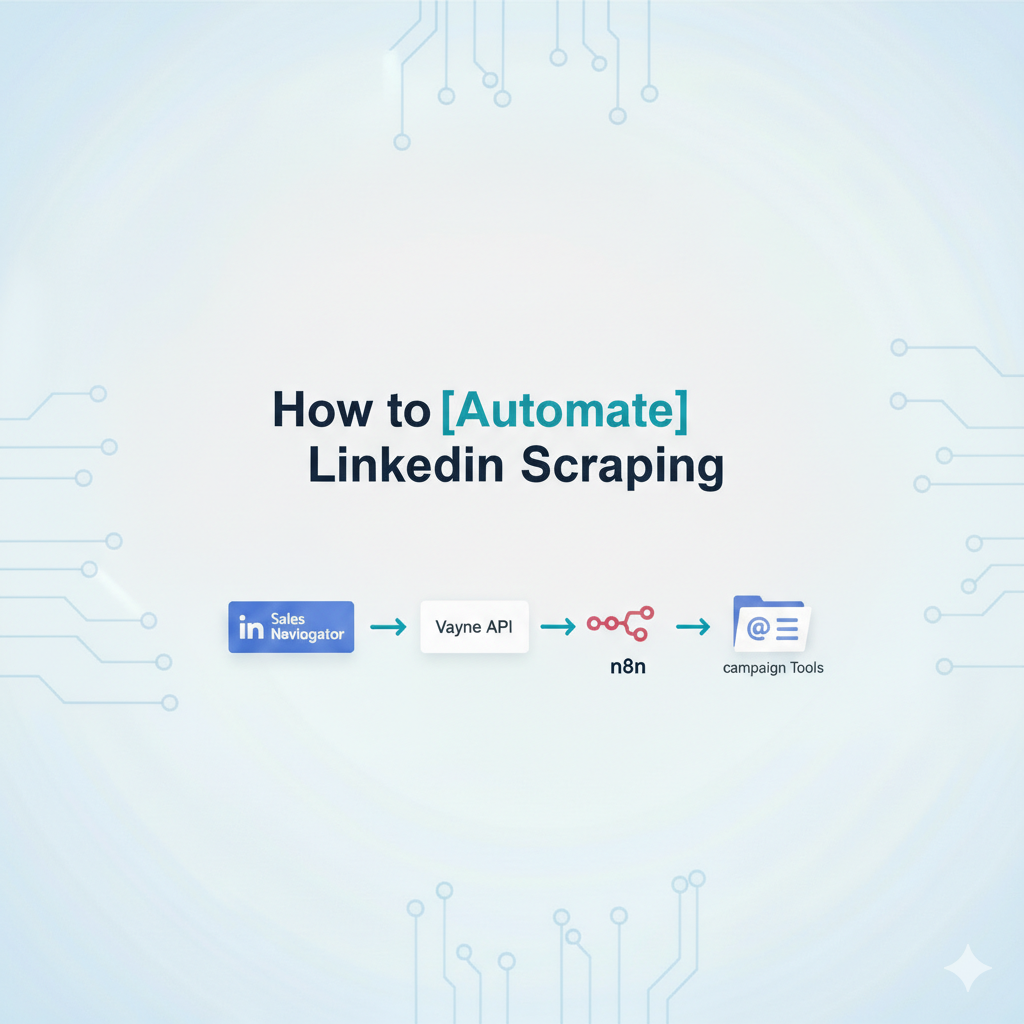
Introduction:
Scraping LinkedIn manually is tedious and time-consuming. You build saved searches in Sales Navigator, export CSV files, clean the data, enrich contacts with emails, and manually upload prospects to your campaigns. Rinse and repeat every week.
But what if you could automate the entire LinkedIn scraping process and have fresh, enriched prospects flowing into your email, LinkedIn, and cold calling campaigns on autopilot?
In this tutorial, you'll learn how to build a complete automated LinkedIn scraping workflow that:
✅ Automatically scrapes new profiles from Sales Navigator saved searches
✅ Runs on a schedule (weekly or daily) without manual work
✅ Enriches scraped contacts with professional email addresses
✅ Filters prospects to match your ICP perfectly
✅ Pushes qualified prospects directly to your campaign tools
✅ Scales across multiple searches and campaigns (perfect for outbound agencies, GTM teams who run campaigns for several industries or geographies )
No more manual LinkedIn scraping. No more CSV exports. No more data entry.
Tools you'll need:
LinkedIn Sales Navigator subscription
Vayne.io API (included in the starter plan at 49$ per month) to automate Sales Navigator scraping
n8n.io automation platform
Email enrichment tool (DropContact or similar)
Your campaign tool (Lemlist, HeyReach, Instantly, etc.)
Watch the Full Tutorial:
Why Automate LinkedIn Scraping?
Manual LinkedIn scraping creates several problems:
Time-consuming: Checking Sales Navigator searches, exporting data, and processing profiles takes 1-2 hours per week per campaign
Inconsistent: You forget to check searches regularly, missing new prospects who match your ICP
Manual errors: Copy-paste mistakes, duplicate entries, and incomplete data plague manual processes
Doesn't scale: Managing 5-10 different searches across multiple campaigns becomes overwhelming
Automation solves all of this. Once set up, your LinkedIn scraping runs like clockwork, delivering fresh prospect lists to your campaigns every week without you lifting a finger.
Understanding LinkedIn Sales Navigator Scraping
LinkedIn Sales Navigator is the best tool for B2B prospecting because it lets you create highly targeted searches using filters like:
Job titles and seniority levels
Company size and industry
Geography and keywords
Recent job changes and company growth
When you save a search in Sales Navigator, LinkedIn tracks new profiles that match your criteria since you last viewed the search. This is goldmine for automated LinkedIn scraping because you can:
✅ Capture prospects as they change jobs or get promoted
✅ Find newly hired decision-makers in your target accounts
✅ Identify companies that recently hit your ideal size or revenue range
✅ Stay on top of market changes without constant manual monitoring
The challenge? Sales Navigator doesn't let you automatically export these new profiles. You have to manually check the search, scrape the data, and process it yourself.
That's where Vayne.io API comes in. It automates the entire LinkedIn scraping process through Sales Navigator's interface.
The Automated LinkedIn Scraping Workflow
This workflow has two parts:
Part 1: Scheduled LinkedIn Scraping
Runs automatically (e.g., every Monday at 9 AM)
Scrapes new profiles from your Sales Navigator saved searches
Uses Vayne API to extract prospect data from LinkedIn
Sends scraped results to a webhook for processing
Part 2: Data Processing & Campaign Push
Receives scraped LinkedIn data via webhook
Extracts and cleans the prospect information
Enriches profiles with professional email addresses
Filters prospects based on ICP criteria
Pushes qualified prospects to your outbound campaigns
Let's build it step by step.
Part 1: Automated LinkedIn Scraping Setup
Step 1: Prepare Your Sales Navigator Search for Scraping
Create your ideal prospect search in LinkedIn Sales Navigator using all relevant filters. Once you're happy with the results, save the search. If you need to be guided to build a great Linkedin Sales Navigator search, check out this article.
Click on your saved search and grab the URL. It looks like this:
https://www.linkedin.com/sales/search/people?savedSearchId=YOUR_SEARCH_ID&lastViewedAt=1234567890
Key parameters for LinkedIn scraping:
savedSearchId
: Your unique search identifier
lastViewedAt
: Timestamp that determines which "new" profiles to scrape
The lastViewedAt parameter is crucial for automated LinkedIn scraping—it tells the system to only scrape profiles added since that date.
Step 2: Schedule Your LinkedIn Scraping
In n8n, create a new workflow starting with a Schedule Trigger node:
Set frequency: Weekly (Monday 9 AM) or Daily (your choice)
This determines how often your LinkedIn scraping runs
Pro tip: Weekly scraping works well for most ICPs. Daily scraping is better for rapidly changing markets or time-sensitive campaigns (recent job changes, company funding announcements, etc.).
Step 3: Calculate the Scraping Date Range
Add a Code node to calculate your scraping window. The logic:
Take current date
Subtract 7 days (for weekly) or 1 day (for daily scraping)
Convert to Unix timestamp format for Sales Navigator
This ensures you're scraping all new LinkedIn profiles added to your search since the last run.
Don't know how to code this? Use Claude or ChatGPT:
"Write JavaScript code for n8n that calculates a Unix timestamp for 7 days ago"
The AI will generate the exact code you need.
Step 4: Verify Vayne.io Connection (Prevent Scraping Failures)
Before scraping LinkedIn, check that your Sales Navigator account is still connected to Vayne. Use Vayne's account status API endpoint.
If active: Proceed with LinkedIn scraping If inactive: Send Slack/email alert to update your session cookie
This prevents failed scraping jobs and keeps your automation running smoothly.
Step 5: Execute the LinkedIn Scraping via Vayne.io API
Now for the actual LinkedIn scraping. Use Vayne's API to create a scraping order with:
Request components:
Your Sales Navigator saved search ID
The calculated
lastViewedAttimestamp (from Step 3)Secondary webhook URL (we'll cover this next)
Vayne.io will then scrape all new LinkedIn profiles matching your search criteria from the specified time period.
Step 6: Set Up Webhook for Scraping Results
Here's the smart part: Instead of checking "Is my LinkedIn scraping done yet?" every few minutes, add a secondary webhook URL to your Vayne API request.
When Vayne finishes scraping LinkedIn profiles, it automatically sends the data to this webhook. This triggers Part 2 of your workflow with zero manual intervention.
Step 7: Add Success Notifications
Add a Slack or email notification confirming your LinkedIn scraping job started successfully. Helpful for monitoring and troubleshooting.
Part 2: Processing Your Scraped LinkedIn Data
Step 8: Receive Scraped LinkedIn Profiles
Create a second n8n workflow starting with a Webhook node. Use the same webhook URL from Step 6.
When Vayne.io completes scraping LinkedIn profiles, it pushes all the data here automatically.
Step 9: Download & Extract LinkedIn Profile Data
Add nodes to:
Download the CSV file from AWS (Vayne provides the URL)
Parse and extract the LinkedIn profile data
Now you have structured data from all the LinkedIn profiles you scraped, including:
Names and job titles
Company information
LinkedIn profile URLs
Location data
And all other Sales Navigator fields you selected
Step 10: Filter Scraped Profiles (Quality Control)
Not every LinkedIn profile scraped by Sales Navigator perfectly matches your ICP—sometimes LinkedIn's algorithm includes near-matches.
Vayne.io automatically flags mismatches and tells you which specific filters don't align with your original search criteria.
Add a Filter node to implement quality control:
Keep prospect if:
✅ Industry matches exactly OR job title is perfect ✅ Company size is within range ✅ Seniority level matches target ✅ Email was found (if email is critical) Remove prospect if: ❌ Job title is completely wrong ❌ Company is too small/large ❌ Located outside target geography
Example filtering logic:
Scraped a "Marketing Manager" but wanted "Marketing Director" → Keep (close enough)
Industry shows "Computer Software" but wanted "SaaS" → Keep (close enough)
Company has 5 employees but you wanted 50+ → Filter out
This ensures only the highest-quality prospects from your LinkedIn scraping before you pay to enrich them with email adrsses and phone numbers and push them to your campaigns.
Step 11: Enrich Scraped LinkedIn Profiles with Emails
LinkedIn profile data from Sales Navigator typically doesn't include email addresses. This is where email enrichment comes in.
Use a service like DropContact, Fullenrich or Hunter to find professional emails and or phone numbers for your scraped LinkedIn prospects.
In n8n, add the appropriate enrichment node and pass in the profile data. Most services need:
First name + Last name
Company name or domain
LinkedIn URL (optional but improves match rates)
Wait for enrichment to complete before proceeding (usually 2-10 seconds per contact).
Step 12: Push Scraped Prospects to Campaigns
Now your scraped LinkedIn prospects are enriched and filtered. Time to put them to work:
For Email Campaigns:
Push to Lemlist, Instantly, Smartlead, or your email tool
Prospects automatically enter your outbound sequences
For LinkedIn Campaigns:
Send to HeyReach, Expandi, or WeConnect
Start automated connection requests and messaging
For Cold Calling:
Send to your CRM or sales dialer
For Multi-Channel:
Push the same prospect to email AND LinkedIn campaigns
Coordinate timing for maximum impact
All major tools have n8n integrations, making it easy to connect your LinkedIn scraping workflow.
Step 13: Route Prospects to Different Campaigns (Advanced)
If you scrape LinkedIn for multiple ICPs or run different campaigns, add routing logic:
IF job_title contains "VP" OR "C-level" → Executive CampaignIF company_size < 50 → SMB Campaign IF industry = "SaaS" → SaaS-Specific Campaign IF recent_job_change = true → Job Change Campaign
This is especially powerful for agencies scraping LinkedIn for multiple clients—one scraping workflow can feed dozens of campaigns.
Advanced: AI-Powered LinkedIn Scraping & Routing
Want to go beyond basic filters? Add an AI agent to analyze scraped LinkedIn profiles more intelligently.
The AI can review:
Full job descriptions and career history
Company descriptions and recent news
LinkedIn activity and post topics
Profile summaries and skills
Then make smart decisions:
"This VP of Sales just joined a Series B SaaS company in healthcare—HIGH PRIORITY for Campaign A"
"Marketing Manager at enterprise company, but LinkedIn shows they focus on brand not demand gen—SKIP"
"Director at agency, profile mentions they handle 50+ clients—PERFECT for our agency campaign"
This level of intelligence is impossible with manual LinkedIn scraping and basic filters. AI takes your automated scraping to the next level.
LinkedIn Scraping: Time Savings & ROI
Manual LinkedIn Scraping Process:
20-30 min: Check Sales Navigator searches for new profiles
15-25 min: Export CSVs and clean data
20-30 min: Enrich with emails using enrichment tool
15-20 min: Upload to campaign tools and verify
Total: 70-105 minutes per search per week
If you manage 5 searches: 6-9 hours per week spent scraping LinkedIn
Automated LinkedIn Scraping:
30-45 min: Initial workflow setup (one-time)
0 min: Ongoing weekly work (runs on autopilot)
Ongoing time: 0 hours per week
For agencies scraping LinkedIn for 10+ clients: Easily 20-40 hours saved per week.
Setting Up Your Automated LinkedIn Scraping System
Get Access to Vayne.io API for LinkedIn Scraping
Vayne.io API is specifically built for automated Sales Navigator scraping. It's included starting from the Starter plan that costs 49$ per month.
Why Vayne for LinkedIn scraping?
✅ Scrapes directly from Sales Navigator (most accurate data)
✅ Handles LinkedIn's rate limits and anti-scraping measures
✅ Validates results against your search filters
✅ Provides webhook callbacks (no polling required)
✅ Returns clean, structured CSV data
Once you have access:
Go to Vayne API documentation
Copy API specifications
Use them to build your scraping workflow
Let AI Build Your LinkedIn Scraping Workflow
Don't want to build from scratch? Let AI generate your entire LinkedIn scraping workflow:
Prompt template:
Create an n8n workflow (in JSON format) that automates LinkedIn scraping with these requirements: 1. Runs every Monday at 9 AM 2. Uses Vayne API to scrape Sales Navigator saved searches from the past 7 days 3. Enriches scraped LinkedIn profiles with professional emails via DropContact 4. Filters out profiles where job title doesn't match 5. Pushes qualified prospects to Lemlist campaign ID "abc123" Here's the Vayne API documentation: [paste docs] Here's the DropContact API documentation: [paste docs]
Claude or ChatGPT will generate a complete, ready-to-import workflow in minutes.
Add Your Other Tools to the Scraping Workflow
Enhance your LinkedIn scraping automation by adding documentation for:
Email enrichment providers (Apollo, Hunter, Prospeo)
Campaign tools (Lemlist, Instantly, HeyReach)
Your CRM (Salesforce, HubSpot, Pipedrive)
Slack/email for notifications
AI will integrate everything into one seamless LinkedIn scraping and prospecting machine.
LinkedIn Scraping Workflow Variations
Daily LinkedIn Scraping for Fast-Moving Markets
Change schedule to daily
Adjust date calculation to 1 day
Perfect for: Job change alerts, funding announcements, rapid hiring signals
Multi-Client Agency LinkedIn Scraping
Create separate searches for each client's ICP
Single workflow scrapes all searches
Route prospects to different campaigns based on search ID
Scales to 50+ clients without additional work
Geographic LinkedIn Scraping
Create searches for different regions (North America, EMEA, APAC)
Route scraped prospects to regional sales teams
Respect time zones for campaign send times
Job Change LinkedIn Scraping
Use Sales Navigator's "Changed jobs in past 90 days" filter
Scrape daily for freshest leads
These prospects have 3x higher response rates
Company Growth LinkedIn Scraping
Filter for companies with recent funding, rapid hiring, or expansion
Scrape weekly to catch growth signals
Perfect for selling to scaling companies
LinkedIn Scraping Best Practices & Compliance
Stay Within LinkedIn's Terms of Service
Important: While automated scraping makes life easier, always follow LinkedIn's Terms of Service:
✅ Do: Use Sales Navigator (you're paying for the data)
✅ Do: Scrape at reasonable volumes (not thousands per day)
✅ Do: Use the data for B2B outreach and prospecting
✅ Do: Respect opt-outs and unsubscribes
❌ Don't: Scrape public LinkedIn without Sales Navigator
❌ Don't: Use scraped data for purposes outside your TOS
Vayne operates within Sales Navigator's interface using your legitimate Sales Navigator account, making it compliant for B2B prospecting use cases.
Optimize Your LinkedIn Scraping for Quality
Start specific, expand later:
Begin with narrow searches (job title + industry + company size)
Review results quality after first scraping run
Broaden filters if you need more volume
Use Vayne's match indicators:
Check which filters LinkedIn is ignoring or loosening
Tighten your searches based on this feedback
Improve prospect quality over time
Test before scaling:
Scrape 20-50 profiles first
Verify enrichment accuracy
Confirm campaign integration works
Then scale to hundreds of profiles per week
Monitor Your LinkedIn Scraping Performance
Track these metrics:
Scraping volume:
How many new profiles per week?
Match rate:
What % of scraped profiles truly fit your ICP?
Enrichment rate:
What % get valid email addresses?
Campaign acceptance:
How many prospects make it through filters?
Response rates:
Are scraped prospects engaging with outreach?
Adjust your searches and filters based on these insights.
Troubleshooting LinkedIn Scraping Issues
"No New Results" When Scraping LinkedIn
Causes:
Your search criteria are too narrow
LinkedIn hasn't found new matching profiles
The
lastViewedAttimestamp is too recent
Solutions:
Broaden your search filters slightly
Change scraping frequency (weekly instead of daily)
Verify your saved search is still active in Sales Navigator
LinkedIn Session Expired / Scraping Fails
Causes:
Sales Navigator session cookie expired
Account logged out
Password changed
Solutions:
Set up account status check (Step 4)
Update session cookie in Vayne when alerted
Keep Sales Navigator logged in on a dedicated browser
Email Enrichment Fails After Scraping LinkedIn
Causes:
Prospects work at companies with strict email policies
Small companies without discoverable patterns
Personal email vs. corporate email
Solutions:
Use multiple enrichment providers as fallbacks
Accept 40-60% enrichment rate as normal
Add LinkedIn messaging campaigns for non-enriched prospects
Consider phone enrichment as alternative
Scraped Data Quality Issues
Causes:
LinkedIn's algorithm includes near-matches
Search filters are too broad
Industry/title categorization varies
Solutions:
Use Vayne's filter matching data to identify issues
Add stricter filtering in Step 11
Create multiple narrow searches vs. one broad search
Review sample of scraped prospects manually first
LinkedIn Scraping Frequently Asked Questions
Q: Is automated LinkedIn scraping legal? A: Scraping through Sales Navigator using a paid account for B2B prospecting is legal but it goes against LinkedIn's Terms of Service. Vayne.io is the safest way to extract data safely anyway.
Q: How many LinkedIn profiles can I scrape per day? A: Sales Navigator has built-in limits (typically 1,500-2,500 search results per search) but with Vayne.io you can scrape safely up to 15K profiles a day. And for most use cases, scraping 50-200 new profiles per week per search is normal.
Q: Will LinkedIn ban my account for automated scraping? A: No if you use the right tool like Vayne.io. It is specifically built as the safest scraping software on the market if you follow our guidelines. We've processed millions of scraping requests without account issues.
Q: Can I scrape LinkedIn without Sales Navigator? A: Sales Navigator is required for quality B2B scraping. Free LinkedIn has severe limitations and scraping it violates TOS. Sales Navigator is purpose-built for prospecting.
Q: How accurate is LinkedIn scraping data? A: Sales Navigator data is highly accurate because users update their own profiles. Expect 90%+ accuracy on job titles, companies, and locations. Email enrichment is a separate step with 40-70% success rates depending on provider.
Next Steps: Start Scraping LinkedIn on Autopilot
You now have everything you need to build an automated LinkedIn scraping system that:
✅ Runs on schedule without manual work
✅ Scrapes fresh prospect lists from Sales Navigator
✅ Enriches profiles with email addresses
✅ Filters for perfect ICP fit
✅ Pushes qualified prospects to your campaigns automatically
Implementation timeline:
15-30 minutes:
Set up Vayne.io API and n8n
15-30 minutes:
Build the scraping workflow (or use AI to generate it)
15 minutes:
Test with one search and 10-20 prospects
5 minutes:
Scale to multiple searches and campaigns
Total: 1-2 hours to automate your entire LinkedIn scraping process forever.
Ready to Automate LinkedIn Scraping?
Sign up for Vayne.io API
Set up n8n (cloud or self-hosted)
Follow this guide (or watch the video tutorial)
Use AI to generate your initial workflow
Test and refine based on your specific needs
Within hours, you'll have fresh prospects from LinkedIn flowing into your campaigns on autopilot.