LinkedIn Email Scraper: How to Find and Verify B2B Emails at Scale
Turn your LinkedIn leads into actionable outreach lists — without the guesswork
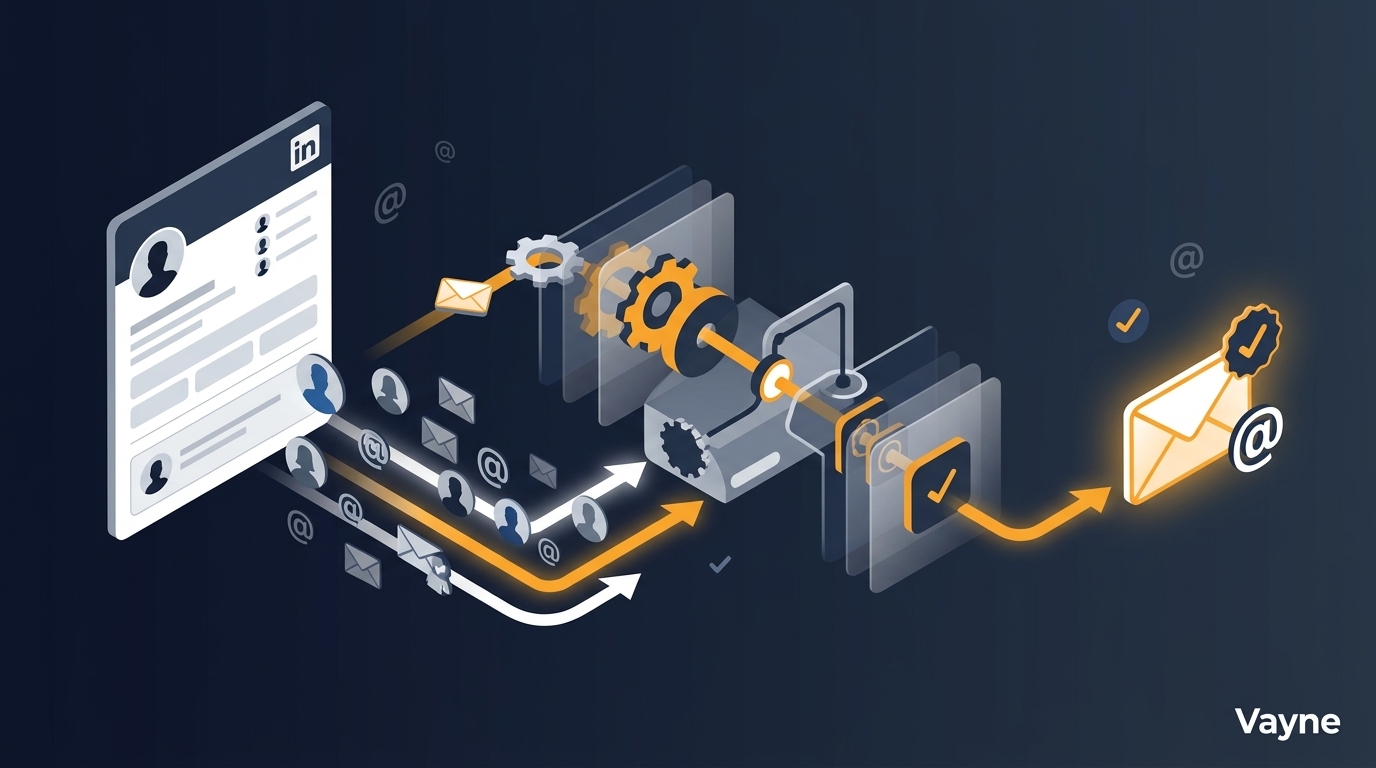
LinkedIn profiles are a goldmine for B2B prospecting — but names and job titles don't get emails sent. A LinkedIn email scraper bridges that gap: it takes profile data and appends a verified professional email address, so you can move from a Sales Navigator search to a live outreach sequence without manual research.
This guide covers how LinkedIn email scraping works, which methods are reliable, how to build a full extraction pipeline, and how to stay compliant. For background on scraping methods generally, see our LinkedIn scraping guide.
What Is a LinkedIn Email Scraper?
A LinkedIn email scraper — also called a LinkedIn email extractor — is a tool that takes LinkedIn profile data and appends a verified professional email address. The process works in two stages:
Stage 1 — Profile extraction: collect name, job title, company, and LinkedIn URL from a search or profile list
Stage 2 — Email enrichment: match the profile against a B2B contact database or run pattern-matching plus SMTP verification to confirm the address
Some tools handle both stages in one pipeline. Others specialize in just the enrichment step, expecting you to supply the profile data separately.
Why LinkedIn Doesn't Show Emails Directly
LinkedIn deliberately keeps email addresses hidden. Per LinkedIn's User Agreement, automated data collection is prohibited — so any tool extracting emails works around this restriction via third-party databases, SMTP pattern-matching, or public profile scraping.
The most reliable approach combines both: match against a large, regularly updated B2B database, then verify deliverability via SMTP ping before returning the result.
The 4 Main Methods for LinkedIn Email Extraction
1. Chrome Extensions and Email Extractor Extensions (Easy Setup, Low Scale)
LinkedIn email extractor extensions like Hunter, Snov.io, or Lusha inject a panel into LinkedIn profile pages and reveal contact details on click. They draw from proprietary databases enriched from public web sources. Pros: zero setup, free tiers available. Cons: manual one-by-one operation, no bulk export, and heavy Chrome extension use triggers LinkedIn detection the same way scraping does.
2. CSV Upload Enrichment (Best for Existing Lists)
Upload a CSV of names and companies and the tool returns emails. No LinkedIn scraping involved — matching happens entirely against the provider's database. This is how Apollo, Clay, and similar platforms work at scale. Pros: fast, scalable, no LinkedIn account at risk. Cons: requires you to already have a list to enrich.
3. API-Based Enrichment (Best for Automation)
Pass a LinkedIn profile URL via API and receive back contact details including email and phone. This is what Vayne's enrichment endpoint does — supply the LinkedIn URL, get back verified contact data. Plugs cleanly into N8N, Make, or any custom workflow. Chain it directly after a Sales Navigator scrape: extract profiles, filter by ICP, enrich only qualified leads.
4. GitHub Scrapers (High Risk, Unreliable)
Open-source repositories extract emails via DOM scraping or pattern-matching. These break regularly with LinkedIn UI updates, carry high ban risk, and return unverified addresses with poor deliverability. Not recommended for production outreach pipelines.
LinkedIn Email Scraper Tools Compared (2026)
How the main options stack up on the metrics that matter most for B2B outreach:
Tool | Free Monthly Limit | Email Match Rate | Sales Nav Support | SMTP Verification | API Access |
|---|---|---|---|---|---|
Hunter.io | 25 searches / 50 verifications | ~65% | No | Yes | Free tier |
Snov.io | 50 credits | ~60% | No | Yes | Paid only |
Lusha | 5 contacts/month | ~75% | Limited | Yes | Paid only |
Apollo.io | 10,000 email credits | ~70% | No | Yes | Limited free |
Vayne | 100 profiles | ~82% | Yes | Yes | Yes |
Match rate is the percentage of profiles for which the tool returns any email. Verified match rate (SMTP-confirmed deliverable) is typically 10–15 percentage points lower. Filter to verified-only results before exporting to any outreach sequence.
Email Verification: Why It Matters
Sending to unverified emails raises bounce rates above the 2–3% threshold that triggers spam filters and damages your sending domain. Before loading any list into a sequence:
Hard bounce rate must stay below 2%
Flag catch-all domains separately — don't treat them as verified
Filter role-based addresses (info@, contact@) — low reply rates and high spam-trap risk
Step-by-Step: Build a LinkedIn Email Extraction Pipeline
This workflow uses Vayne for Sales Navigator scraping and enrichment, then pushes to any sequence tool. End-to-end in under 30 minutes:
Build your Sales Navigator search — apply ICP filters (title, seniority, company size, geography). Target 200–500 results to give yourself a qualified pool before filtering.
Export via Vayne API — POST your Sales Navigator search URL to /api/orders. Vayne returns structured profile data: name, title, company, LinkedIn URL.
Filter to ICP — review the results and remove anyone outside your scoring threshold. Aim for your top 50–100 before enriching.
Enrich qualified leads — POST each LinkedIn URL to /api/find_people. Returns verified email, direct phone (where available), and confidence score. Only export results above your threshold.
Push to your sequence — export as CSV or use Vayne's webhook to push directly to HubSpot, Salesforce, Outreach, or Instantly. Map fields to avoid duplicates and trigger the right nurture sequence.
The filtering step is the most important cost-control lever. Enriching 50 targeted leads from a pool of 200 costs roughly 75% less than enriching all 200 blindly — and delivers better reply rates.
Automating the Full Pipeline (N8N)
For teams running multiple campaigns in parallel, a fully automated pipeline removes all manual steps. See our Sales Navigator scraper guide for the complete N8N workflow. The architecture:
N8N Schedule Trigger fires on your chosen cadence (daily, weekly)
POST to Vayne /api/orders with your saved Sales Navigator search URL
Vayne webhook fires when results are ready
ICP scoring node (Claude AI or filter logic) flags qualified profiles
POST to /api/find_people for qualified profiles only
Push enriched contacts to CRM and enrol in sequence
GDPR and Email Compliance
Collecting professional emails for B2B outreach is generally permitted under GDPR Article 6 legitimate interest, provided you target people in their professional capacity, your outreach is relevant to their role, you include a clear unsubscribe mechanism, and you don't retain data longer than necessary. CASL and CAN-SPAM have similar requirements. Document your legitimate interest assessment before running a campaign.
Frequently Asked Questions
How accurate are LinkedIn email scrapers?
Database-backed LinkedIn email scrapers return emails that are 70–85% deliverable on the first pass. With SMTP verification enabled, verified-only results reach 95%+. Open-source DOM scrapers that guess patterns without verification deliver 40–60% — too low for cold outreach without risking domain reputation.
Can I extract emails from LinkedIn for free?
Yes, at limited volume. Hunter's free tier gives 25 searches per month; Apollo gives 10,000 email credits with restricted exports. Both free tiers are exhausted by a single active campaign. For anything above 100 contacts per month, a paid LinkedIn email extractor is more cost-effective than the time spent working around free limits.
Does scraping LinkedIn emails violate GDPR?
Collecting professional emails for B2B outreach is lawful under GDPR legitimate interest, provided you target people in their professional capacity, include an unsubscribe option, and don't over-retain data. Personal Gmail addresses or non-B2B contexts are a different matter. See GDPR Article 6 for the full legal basis.
What is the difference between email scraping and email enrichment?
Email scraping extracts data from web pages. Email enrichment appends contact details to records you already have, by matching against a B2B database. Most LinkedIn email workflows combine both: scrape the profile list via LinkedIn, then enrich each profile with verified contact details. Vayne handles both steps in a single API pipeline.
How many emails can I extract from LinkedIn per day?
With a cloud API tool like Vayne: 1,000–10,000+ enrichments per day with no risk to your own account. With a Chrome extension on your own account: 50–100 profiles per day is the generally accepted safe limit. With a headless browser script: as few as 10–20 before triggering restrictions.
Ready to build your first automated email extraction pipeline? Vayne's free tier includes 100 profile exports and enrichment credits — no credit card required.