How to Scrape LinkedIn Profiles in 2026 (Without Getting Banned)
A complete guide to scraping LinkedIn profile data in 2026 — what data you can extract, which methods work, rate limits, and how to stay compliant.
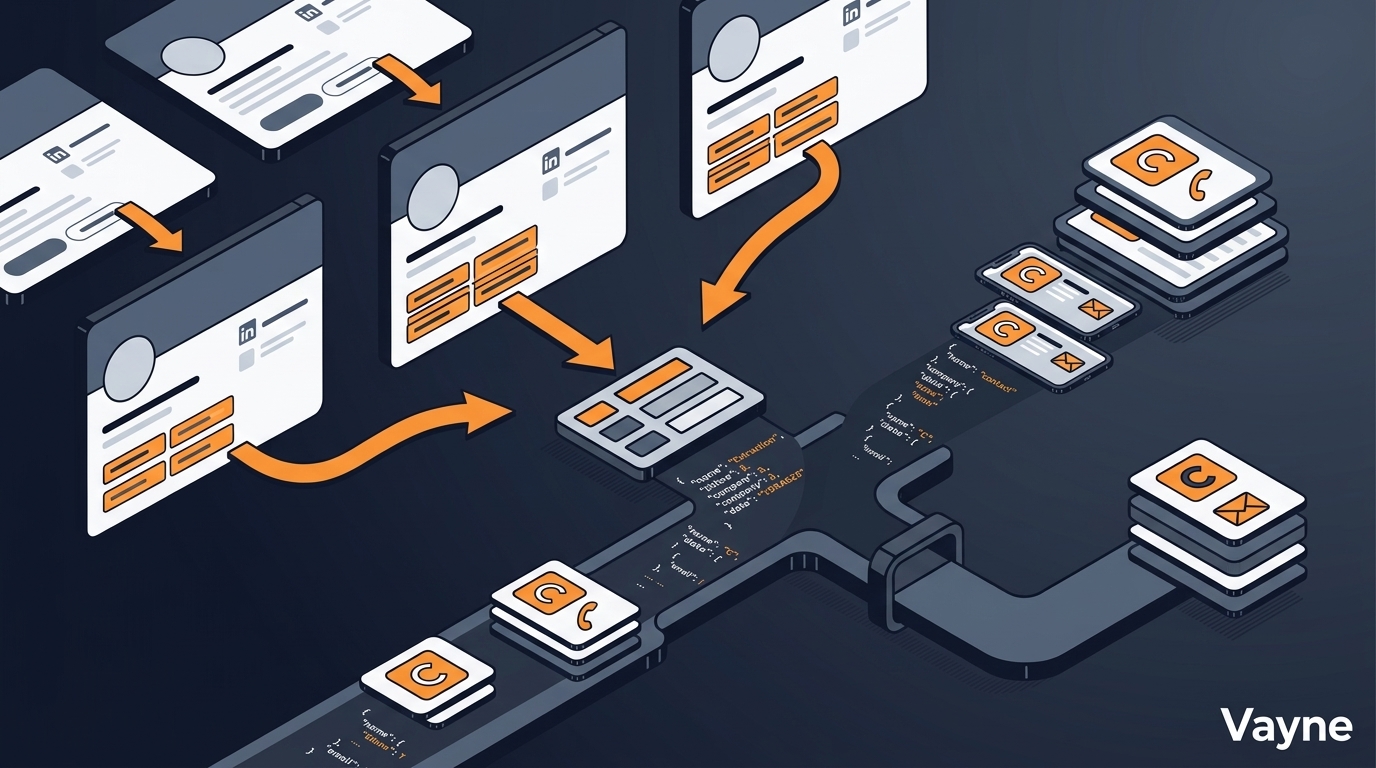
Scraping LinkedIn profiles is fundamentally different from scraping LinkedIn search results. With search scraping, you're pulling a list of profiles that match a filter — you don't know the URLs in advance. With profile scraping, you already have a list of LinkedIn URLs, and you want structured data from each one: current title, company, seniority, location, and contact details.
This distinction matters because the use cases, tools, and rate limits are different. This guide covers all three — and how to build a LinkedIn contact scraper that runs reliably at scale in 2026. For background on scraping methods generally, see our LinkedIn scraping guide.
What Data Can You Extract from a LinkedIn Profile?
Not all profile data is equally accessible. Here's what's actually available at each access level:
Data Field | Public Profile | Logged-In User | Sales Navigator | Enrichment Required |
|---|---|---|---|---|
Full name | Yes | Yes | Yes | No |
Current job title | Yes | Yes | Yes | No |
Current company | Yes | Yes | Yes | No |
Location | Yes | Yes | Yes | No |
Profile headline | Yes | Yes | Yes | No |
Years of experience | Partial | Yes | Yes | No |
Skills | Partial | Yes | Yes | No |
Education history | Partial | Yes | Yes | No |
Email address | No | Rare | No | Yes |
Phone number | No | No | No | Yes |
Company size | No | Yes | Yes | No |
LinkedIn connections | No | Yes | Yes | No |
The practical implication: profile scraping alone gives you strong professional context (title, company, seniority signals), but not contact details. You need a separate enrichment step for email and phone. See our LinkedIn email scraper guide for how that step works.
5 Real Use Cases for LinkedIn Profile Scraping
1. Enriching Inbound Leads
A prospect fills out a demo request form and leaves a LinkedIn URL in the 'How did you find us?' field. A contact scraper turns that URL into a full profile record — current title, company, seniority, and location — in seconds. This populates your CRM automatically and routes the lead to the right rep without manual research.
2. Scraping Event Attendees
Conference and webinar organiser pages on LinkedIn list attendees publicly. If you can get the profile URLs (via a list export or attendee scrape), a LinkedIn contact scraper turns a list of 500 conference attendees into a fully enriched prospect list before the event ends.
3. Monitoring Job Changes at Key Accounts
When a champion leaves a target account, the deal often goes cold. Scraping a saved list of key contacts' LinkedIn profiles weekly detects job changes — triggering a re-engagement sequence when they land at a new company that also fits your ICP.
4. Competitor Employee Intelligence
Scraping a competitor's employee profiles reveals their team structure, growth trajectory, and open roles — useful for competitive positioning, identifying talent gaps, or spotting where they're investing. Combine with LinkedIn company page scraping for headcount trends over time.
5. Cleaning and Updating CRM Data
CRM data decays at roughly 30% per year as people change jobs and titles. Passing your existing LinkedIn URL database through a profile scraper refreshes title, company, and seniority data at scale, without manual research or expensive data append services.
3 Methods to Scrape LinkedIn Profiles (Ranked by Reliability)
Method 1: Cloud API (Most Reliable, Scale-Ready)
Pass a list of LinkedIn profile URLs to a cloud scraping API. The tool handles authentication, rate limiting, and anti-detection on its own infrastructure — your account is never exposed. Vayne's profile enrichment endpoint works this way: POST a LinkedIn URL, receive back structured profile data and verified contact details.
Best for: production pipelines, bulk scraping, CRM enrichment at scale. Supports 1,000–10,000+ profiles per day depending on your plan.
Method 2: Chrome Extension (Low Scale, Manual)
A LinkedIn scraper Chrome extension visits profiles in your browser session and extracts data as you browse. Tools like Phantombuster and Dux-Soup automate the browsing, but still run through your LinkedIn account cookies. Safe limit: 50–100 profiles per day from an aged, warm account.
Best for: small one-off lists, validation, teams with no API budget. Not suitable for automated pipelines or volumes above a few hundred per month.
Method 3: Headless Browser / Python Script (High Risk)
Selenium or Playwright scripts visit LinkedIn profile pages programmatically. Flexible and technically unlimited — but LinkedIn's bot detection aggressively flags non-human browser fingerprints, especially from datacenter IPs. Accounts used for headless scraping are typically restricted within days without sophisticated anti-detection measures (rotating residential proxies, random delays, human-pattern mouse movement).
Best for: engineers who want full control and are comfortable with ongoing maintenance. Not recommended for teams that need reliable, uninterrupted data flow.
How to Scrape LinkedIn Profiles via API: Step-by-Step
This workflow uses Vayne to convert a list of LinkedIn profile URLs into structured, enriched contact records:
Prepare your URL list — compile LinkedIn profile URLs from your CRM, a manual search, an event attendee list, or a prior scrape. Format as a plain list, one URL per row.
Submit the batch to the API — POST each URL to the Vayne /api/find_people endpoint. Each call returns name, title, company, location, seniority, and optionally email and phone if enrichment is enabled.
Handle the response — Vayne returns a confidence score alongside each contact field. Set a minimum threshold (e.g. 0.75) and filter out low-confidence results before pushing to your CRM.
Push to CRM — map the response fields to your CRM schema. Use the LinkedIn URL as a unique identifier to detect and skip duplicates. For job-change monitoring, compare title and company against the existing record and flag changes.
Schedule for refresh — for ongoing CRM hygiene, run the same URL list through the pipeline on a monthly cadence. Flag profiles that return a 404 (deleted or deactivated accounts) for manual review.
Rate Limits: How Many Profiles Can You Safely Scrape?
Rate limits depend on the method:
Method | Safe Daily Volume | Account Risk | Requires LinkedIn Account |
|---|---|---|---|
Cloud API (Vayne) | 1,000–10,000+ | Very Low | No (API manages its own) |
Chrome Extension | 50–100 | Low–Medium | Yes (your account) |
Headless Browser Script | 10–50 | High | Yes (your account) |
LinkedIn Native Export | Up to 1,000 (one-time) | None | Yes |
For context: a Sales Navigator account can view roughly 1,000 profiles per day before triggering commercial use restrictions. Cloud tools that manage their own session infrastructure operate above this limit by rotating across many accounts simultaneously.
Bulk Profile Scraping: What to Watch Out For
When scraping LinkedIn profiles in bulk, three failure modes are common:
Stale URLs — LinkedIn profiles get deleted, deactivated, or have their vanity URLs changed. A 5–10% URL failure rate is normal in any aged list. Always handle 404s gracefully in your pipeline.
Rate throttling on specific companies — LinkedIn occasionally throttles requests for profiles from very large, high-profile companies (FAANG, major banks). Build retry logic with exponential backoff.
Private profiles — roughly 15–20% of LinkedIn profiles have reduced visibility settings. Expect partial data (title and company may be present but education and skills hidden). Filter these out before enrichment to avoid wasted spend.
Is Scraping LinkedIn Profiles Legal?
The legal framework hasn't changed significantly since the hiQ Labs v. LinkedIn ruling (2022), which confirmed that scraping publicly available LinkedIn data does not violate the Computer Fraud and Abuse Act (CFAA).
The practical legal checklist:
Scraping publicly visible profile data (name, title, company) is generally lawful in the US under hiQ Labs
Processing that data in the EU requires a lawful basis under GDPR — legitimate interest covers B2B prospecting if documented properly (see GDPR Article 6)
LinkedIn's Terms of Service prohibit scraping — but this is a civil matter between you and LinkedIn, not a criminal one
Email addresses and phone numbers require enrichment from a consented B2B database, not direct extraction from profiles
Per LinkedIn's User Agreement, automated data collection is prohibited. Using a cloud tool that manages its own infrastructure doesn't eliminate this ToS exposure, but it does reduce the operational risk to your own account.
Frequently Asked Questions
How many LinkedIn profiles can I scrape per day without getting banned?
With a cloud API tool: 1,000–10,000+ profiles per day, with no risk to your own LinkedIn account. With a Chrome extension on your own account: 50–100 profiles per day is the generally accepted safe limit. With a headless browser script from a datacenter IP: as few as 10–20 before triggering restrictions.
Can I scrape LinkedIn profiles without a LinkedIn account?
Public LinkedIn profiles are partially visible without a login — name, headline, and current company are typically accessible. Full profile data (skills, education, experience history, connection count) requires authentication. Cloud API tools maintain their own authenticated sessions, so you don't need to use your own account.
What is a LinkedIn contact scraper?
A LinkedIn contact scraper is a tool that extracts professional data from LinkedIn profile pages — name, title, company, location, and optionally contact details — either one profile at a time or in bulk from a list of URLs. Cloud-based contact scrapers run on managed infrastructure; browser-based ones run inside your own LinkedIn session.
How do I scrape LinkedIn profiles in bulk?
The most reliable method for bulk LinkedIn profile scraping is a cloud API: compile your profile URLs, POST them to an enrichment endpoint like Vayne's /api/find_people, and receive back structured JSON. For volumes above 1,000 profiles, batch your requests and process results asynchronously via webhook to avoid timeouts.
Does LinkedIn know when you scrape profiles?
Yes. LinkedIn detects scraping through a combination of request rate analysis, browser fingerprinting, IP reputation scoring, and behavioural signals (no dwell time, no organic browsing, only search/profile page requests). Cloud tools using managed sessions with residential IPs and human-like patterns are much harder to detect than headless browser scripts from datacenter IPs.
Related Guides
How to Scrape LinkedIn Sales Navigator in 2026 (Safe, Legal & at Scale)
LinkedIn Email Scraper: How to Find Verified Business Emails at Scale
Free LinkedIn Scraper Tools in 2026: What They Can (and Can't) Do
Best LinkedIn Scraper Tools in 2026 — Ranked by Ban Risk & Speed
Ready to scrape your first batch of LinkedIn profiles without risking your account? Vayne's free tier gives you 100 profile lookups — no credit card required.